CAD laptops
Do you work with CAD software such as Revit, SolidWorks, or AutoCAD? Then you need a laptop that offers more than just a fast processor. A good CAD laptop must be powerful, stable, and reliable, even when working with complex drawings, 3D models, assemblies, and renders. At SKIKK, you can configure a CAD laptop that suits your software, workflow, and needs. Whether you work as an architect, engineer, product designer, or technical draftsman, we help you choose a laptop that is suitable
View products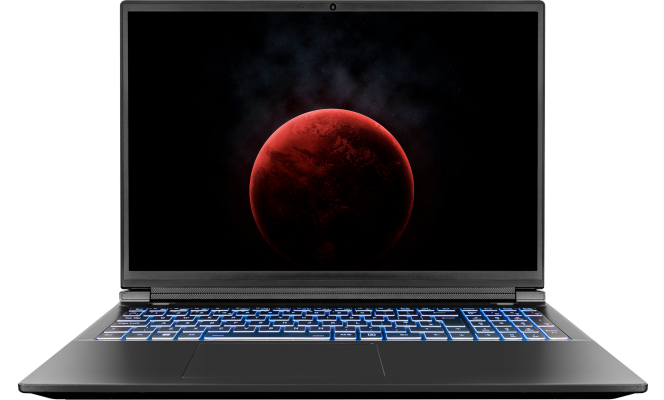

Aimy helps you find the right system based on your needs.
Nvidia GeForce RTX 5070 Ti 12GB GDDR7, Nvidia GeForce RTX 5080 16GB GDDR7, Nvidia GeForce RTX 5090 24GB GDDR7
Graphics cards2 years warranty
Upgradeable with Premium SupportFast delivery
Order today, delivered tomorrow*

7 reviews
- 16" Matte Quad HD 240Hz (2560x1600)
- Intel 16 Cores i7 14650HX 1.6GHz (5.2GHz) 30MB Cache
- 16GB SKIKK Selected 5600MHz
- 1TB SKIKK Selected

53 reviews
- 18" Matte Quad HD+ 240Hz (2560x1600)
- Intel 24 Cores Ultra 9 275HX 2.1GHz (5.4GHz) 36MB Cache
- 16GB SKIKK Selected 5600MHz
- 1TB SAMSUNG 9100 PRO

- 16" Matte Quad HD+ 300Hz (2560x1600) LED
- AMD Ryzen 9 16 cores 9955HX3D 2.5GHz (5.4GHz) 128MB Cache
- 32GB SKIKK Selected 5600MHz
- 1TB SKIKK Selected

- 16" Matte Quad HD+ 300Hz (2560x1600) Mini-LED 1250 Nits
- AMD Ryzen 9 16 cores 9955HX3D 2.5GHz (5.4GHz) 128MB Cache
- 32GB SKIKK Selected 5600MHz
- 1TB SKIKK Selected

2 reviews
- 16" Matte Quad HD+ 300Hz (2560x1600) Mini-LED 1250 Nits
- Intel 24 Cores Ultra 9 275HX 2.1GHz (5.4GHz) 36MB Cache
- 32GB SKIKK Selected 5600MHz
- 1TB SKIKK Selected
48 reviews
- 18" Matte Quad HD+ 240Hz (2560x1600)
- Intel 24 Cores Ultra 9 275HX 2.1GHz (5.4GHz) 36MB Cache
- 16GB SKIKK Selected 5600MHz
- 1TB SAMSUNG 9100 PRO

- 16" Matte Quad HD+ 300Hz (2560x1600) Mini-LED 1250 Nits
- AMD Ryzen 9 16 cores 9955HX3D 2.5GHz (5.4GHz) 128MB Cache
- 32GB SKIKK Selected 5600MHz
- 1TB SKIKK Selected

3 reviews
- 16" Matte Quad HD+ 300Hz (2560x1600) Mini-LED 1250 Nits
- Intel 24 Cores Ultra 9 275HX 2.1GHz (5.4GHz) 36MB Cache
- 32GB SKIKK Selected 5600MHz
- 1TB SKIKK Selected
48 reviews
- 18" Matte Ultra HD+ 200Hz (3840x2400)
- Intel 24 Cores Ultra 9 275HX 2.1GHz (5.4GHz) 36MB Cache
- 16GB SKIKK Selected 5600MHz
- 1TB SAMSUNG 9100 PRO
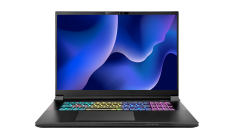
- 18" Matte Ultra HD+ 200Hz (3840x2400)
- Intel 24 Cores Ultra 9 275HX 2.1GHz (5.4GHz) 36MB Cache
- 256GB SKIKK Selected 4000MHz
- 32TB Samsung 9100 Pro (4x 8TB)
What is a CAD laptop?
A CAD laptop is a laptop designed for Computer Aided Design. These laptops are used for technical drawings, 2D drafting, 3D modelling, BIM projects, simulations and visualisations. Compared to standard laptops, CAD laptops are built for more demanding software and heavier workloads.
With CAD software, performance is not just about speed. Stability, smooth multitasking and long-term reliability also matter. If you regularly work with large files, multiple applications at once or complex 3D projects, you will notice the difference immediately.
What should a good CAD laptop offer?
A good CAD laptop combines powerful hardware with the right configuration choices. The ideal specifications depend on the software you use and the complexity of your projects.
Fast processor
For many CAD applications, a strong processor is essential. When modelling, drafting and working on larger projects, CPU performance plays a major role. This is especially true for software such as Revit and AutoCAD.
Enough RAM
If you work with large models or several programs at the same time, sufficient memory is crucial. For professional CAD work, 32 GB RAM is often a smart starting point, and many SKIKK laptops can be configured with even more memory.
Powerful graphics card
For 3D visualisations, renders and complex assemblies, a dedicated GPU is important. This is especially relevant for SolidWorks and other 3D CAD applications where graphics performance directly affects workflow smoothness.
Fast SSD storage
A fast SSD helps reduce loading times, speeds up project files and improves overall responsiveness. If you work with large design files on a daily basis, fast storage is a must.
Sharp, comfortable display
For technical drawing and 3D design, a sharp display with enough screen space makes a real difference. Resolutions such as Full HD or QHD help you work more accurately and more comfortably.
CAD laptop for Revit
If you work with Revit, you need a laptop that can handle BIM workflows, building models and large technical projects efficiently. Revit relies heavily on processor performance and RAM, while the graphics card also becomes more important in 3D views and more demanding projects.
A laptop for Revit typically benefits from a fast processor, at least 32 GB of RAM and a fast SSD. If you work with larger models or use multiple applications alongside Revit, more memory and a stronger GPU can be a smart investment.
CAD laptop for SolidWorks
SolidWorks requires powerful hardware, especially for larger assemblies, complex parts and advanced 3D designs. Both CPU and GPU performance play an important role here.
A good SolidWorks laptop should feel responsive, rotate models smoothly and remain stable under sustained load. That is why many professionals choose a system with a strong processor, plenty of RAM, a dedicated graphics card and solid cooling.
CAD laptop for AutoCAD
AutoCAD is widely used for both 2D drafting and 3D design. The best configuration depends on how you use it. For mainly 2D work, processor speed is often more important than a very powerful GPU. For 3D workflows, graphics performance becomes much more relevant.
A good AutoCAD laptop offers the right balance of speed, memory, storage and display quality, so you can work smoothly and efficiently even on larger projects.
Frequently Asked Questions
This is how it works
From wish to workhorse in three steps
Choose your base, configure your specs and let us do the rest.