Working from home is becoming increasingly popular. Especially now that the coronavirus has us staying home more, we have all massively switched to working from home. And working from home will also become the new normal afterwards. No dress code, no commute and scheduling your own time. Working from home has its advantages. Yet it can be a challenge to get to work productively.
Although you started your work-from-home day with a lot of good intentions, you probably think by the evening: ‘What have I actually done?’ With these tips you ensure that you perform optimally at home!
A tidy workspace creates a clear head while working. Therefore, make sure you can work in a neat environment and that your workspace is tidy. This way you can focus better on your work. Curious about how to best tidy up your workspace? You can read about it
here in my article about how to best tidy up your workspace according to the KonMari method.
Even if you’re working out of your broom closet for the coming weeks, still ‘go to work’. It’s very tempting to throw on your jogging trousers or pyjamas when working from home, but you’re better off not doing that. It makes you drowsy and reduces your productivity. When you get up, it’s best to get dressed and ready straight away, as if it were a regular working day at the office. This gives you energy and immediately gives you the feeling that your day has started.
American author Gay Talese always dresses as if he is going to work ‘at a New York law firm’, while in reality he is walking downstairs to his home office. For him, this marks the transition moment. Putting on a suit might be a bit too much of a time investment in these hectic times, but you get the idea.
You can of course sit on the couch with your laptop, but it is best to create a dedicated workspace for yourself. When you go to your workspace you get into work mode, whereas if you stay on the couch you essentially remain in leisure mode. You don't necessarily need a separate room or desk to create a dedicated workspace — the kitchen table works just as well. In any case, make sure you are sitting upright and have your work items in front of you. Also add something to your workspace that makes you happy, to make your workday more enjoyable.
Planning your day in advance before you start working helps you achieve goals and complete tasks. The evening before, write a list of tasks that need to be finished by the end of the next working day. Or create a schedule in which you divide up different projects. Each time you finish a task, tick it off your to-do list — this provides extra motivation and a sense of satisfaction.
Set timers
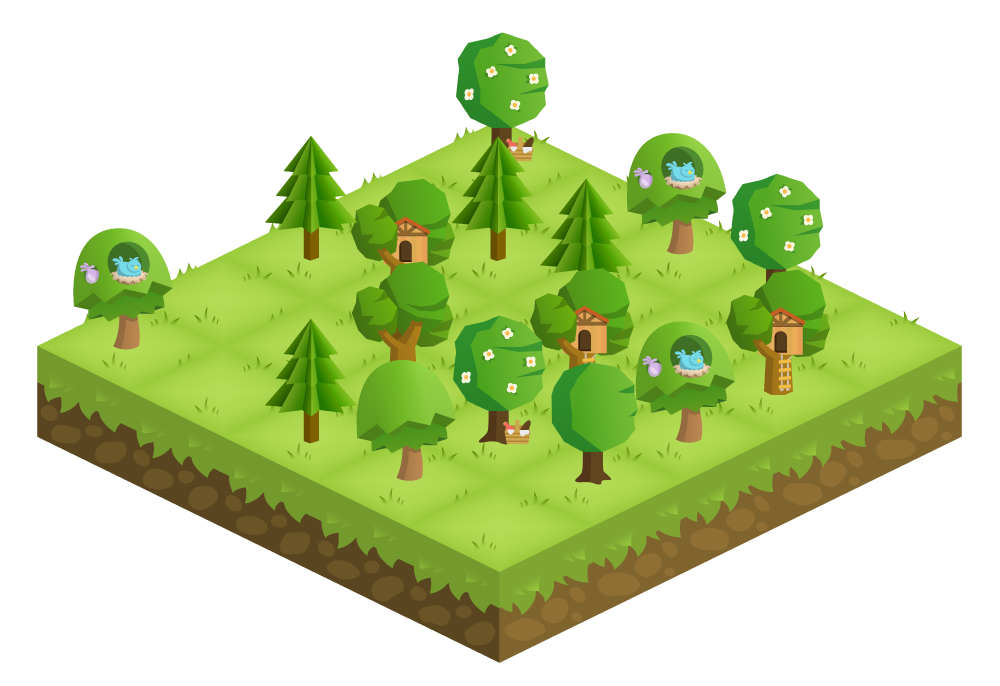
When working from home, you get distracted more easily. You're more likely to pick up your phone, browse the internet or do the laundry. If you struggle to focus, it's a good idea to set a timer. For example, you can set a timer for 25 minutes during which you work productively on a task. Once the timer goes off, you take 5 minutes to do something else, make a cup of coffee or check social media before setting a new timer. A handy tool that can help with this is the
Forest App. This app 'plants' a tree that grows while you stay focused and don't pick up your phone — as soon as you lose your focus and pick up your phone, the tree dies.
Take breaks or go outside
When you work from home, it’s easy to lose track of time — there are no colleagues coming to get you for a coffee break and no set times for breaks either. Even so, it’s good to take a break every now and then. Or take a short walk after your well-deserved lunch. It’s relaxing and you also get your daily dose of exercise. Thanks to that breath of fresh air, you can be productive again during the second half of the day!
No distractions
One important reason to work from home is to be able to do your work undisturbed. If you keep your phone within reach and constantly check your social media feeds, you obviously won’t get much work done. Put your phone away, log out of Facebook, and above all keep the television switched off. I solved this by creating 2 separate accounts on my computer — 1 for work and 1 for personal use. That way I’m not disturbed by work emails in my own time and vice versa.
Need some background noise? Instead of your own playlist, simply turn on the radio or find a standard playlist. For example, I often listen to Beats Radio or my favourite Efteling melodies on my HomePod.
Besides taking breaks on time, stopping on time is also a pitfall when working from home, I can tell you from personal experience. Plan for yourself from what time to what time you want to work and stick to it. If necessary, set a reminder for yourself so you know when your workday is over and you can wrap it up.
What do I need to work from home?
A business laptop for your home office
A business laptop is suitable for every home workspace but even more convenient if you don't have much space. Choose Windows 10 Pro as your operating system, so you can log in to the office network from home. This also gives you access to all your important documents at home. All inch sizes are possible, although you work much more comfortably with a 15.6 and 17.3 inch screen. We recommend the following specifications:
* Operating system: Windows 10 Pro
* Screen diagonal: 15.6 inch
* Connections: HDMI/DisplayPort
You can find our work-from-home laptops here.
Docking station for your home office
Do you work a lot on the go but also work from home? Then a cradle or docking station is worth considering. You can connect peripherals such as monitors to it. You then only need 1 cable for a connection to your laptop. This way you can work with multiple screens at once in no time, or browse the internet via a stable wired connection. Handy for the (creative) freelancer who needs a lot of equipment such as extra monitors and drawing tablets.